Email Management
Effective Strategies to Use Streak for Marketing Success
Streak CRM: The Gmail-Native Sales and Pipeline Management Tool What is Streak? [Streak](https://www.streak.com) is a unique CRM platform that lives...
By The Marketing Mosaic Collective
•November 22, 2025
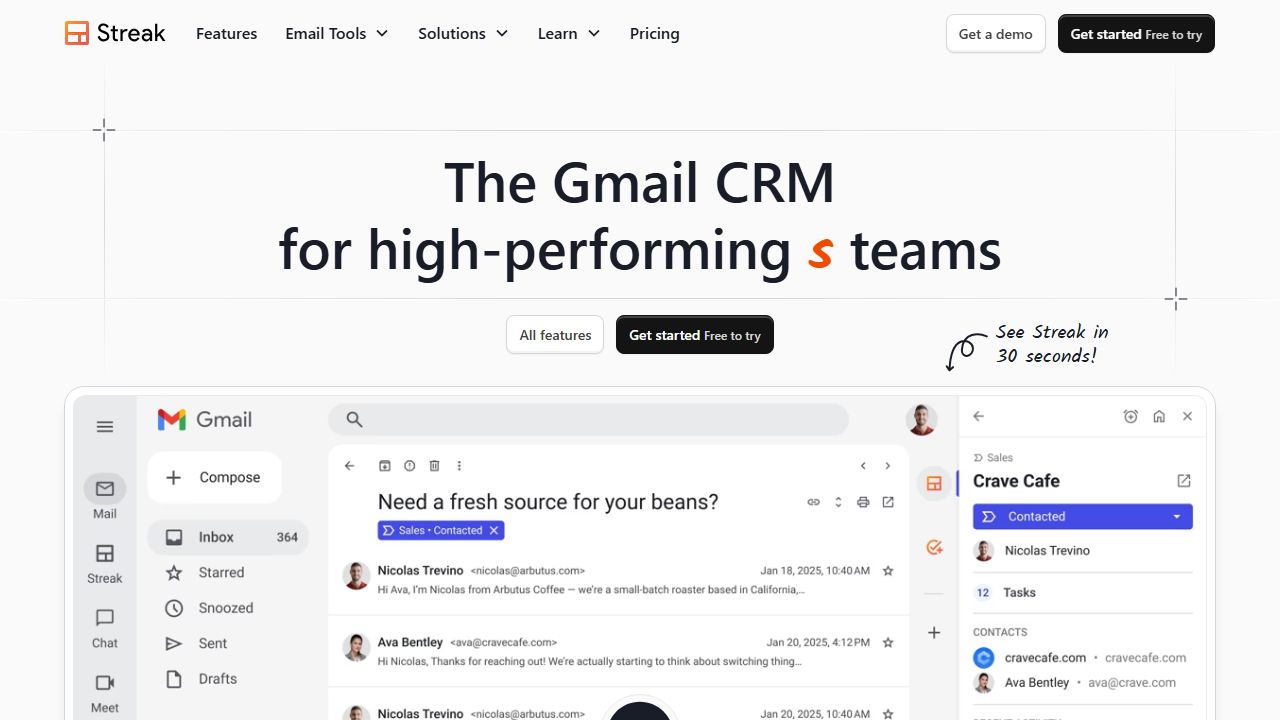
Streak CRM: The Gmail-Native Sales and Pipeline Management Tool
What is Streak?
Streak is a unique CRM platform that lives directly inside Gmail, transforming your inbox into a powerful business management tool. Unlike traditional CRM systems that require switching between different applications, Streak integrates seamlessly with your existing Gmail workflow. We've found it particularly valuable for teams who spend significant time in email and need to track customer relationships, sales pipelines, and project progress without leaving their inbox. Originally designed for sales teams, Streak has evolved to support various business processes, from hiring to customer support.
Key Features and Capabilities
Native Gmail Integration
- Full CRM functionality within Gmail interface
- Email tracking with real-time open notifications
- Mail merge for personalized mass emails
- Snippet library for quick response templates
Pipeline Management
- Customizable pipelines for different business processes
- Drag-and-drop deal progression
- Custom columns and fields for specific tracking needs
- Visual pipeline views with status updates
Team Collaboration
- Shared inboxes for team communication
- Real-time updates on deal progress
- Comment threads on specific deals or emails
- Permission settings for sensitive information
Data Management
- Automatic email threading and organization
- Contact and company profiles
- File attachment tracking
- Custom data fields and reporting
Getting Started
- Installation
- Visit Streak's website and click "Add to Gmail"
- Grant necessary permissions to integrate with your Google Workspace
- Choose your primary use case (sales, hiring, support, etc.)
- Pipeline Setup
- Select a pre-built pipeline template or create a custom one
- Customize stages to match your workflow
- Add team members and set permissions
- Define custom fields for tracking specific data points
- Email Integration
- Enable email tracking
- Set up snippets for common responses
- Configure notification preferences
- Start adding emails to your pipeline boxes
Real-World Use Cases
Sales Team Management
We've seen sales teams use Streak to track leads from initial contact through close. The email tracking feature helps them time follow-ups perfectly, while pipeline views give managers clear visibility into deal progress and team performance.
Recruitment Process
HR teams leverage Streak to manage candidate pipelines, tracking applications from initial review through final offer. The ability to share candidate feedback and maintain communication history in one place streamlines the hiring process significantly.
Customer Support Tracking
Support teams use Streak to monitor customer issues from submission to resolution, ensuring no support tickets fall through the cracks and maintaining detailed interaction histories.
Pros and Cons
Advantages:
- Seamless Gmail integration eliminates platform switching
- Intuitive interface requires minimal training
- Flexible pipeline customization for various use cases
- Powerful email tracking and management features
Limitations:
- Limited functionality outside of Gmail environment
- Basic reporting capabilities compared to standalone CRMs
- Can become costly for larger teams
How It Compares to Alternatives
Compared to traditional CRMs like Salesforce or HubSpot, Streak offers superior email integration but fewer advanced features. It's more lightweight than Pipedrive but offers better Gmail functionality. For teams heavily dependent on email communication, Streak often proves more efficient than standalone CRMs. However, organizations needing robust reporting or extensive third-party integrations might find it limiting.
Pricing and Value
Streak offers four tiers:
- Free: Basic CRM features for individuals
- Professional ($15/user/month): Full email tracking and advanced features
- Enterprise ($49/user/month): API access and priority support
- Enterprise Plus (Custom pricing): Advanced security and controls
The Professional tier provides the best value for most small to medium-sized teams.
Final Verdict
We recommend Streak for teams who primarily work in Gmail and need a straightforward, email-centric CRM solution. It's particularly well-suited for small sales teams, recruiters, and customer support departments. While it may not replace full-featured CRM platforms for enterprise needs, its Gmail integration and ease of use make it an excellent choice for email-heavy workflows.
❧
End of Article
Learn more about Streak
Visit Website →